
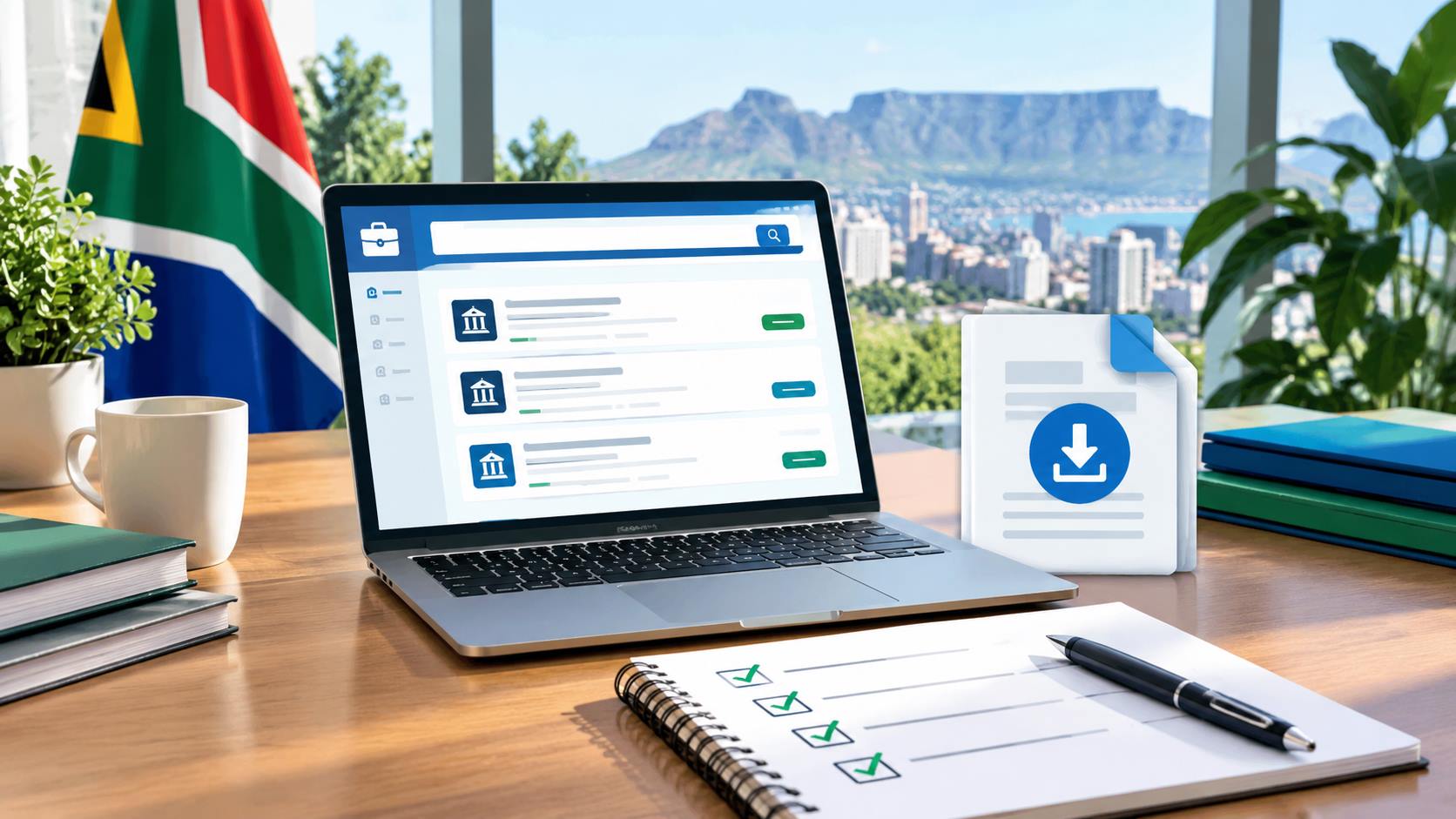
Applying for a South African government job requires more than finding a vacancy and sending a CV.
You need to confirm that the vacancy is genuine, understand every requirement, complete the required application form correctly, submit the right documents, follow the department’s application instructions and meet the closing date.
This government job application checklist gives you a practical process for checking your application before submission.
The guide focuses on vacancies advertised through South African government departments and the Public Service Vacancy Circular. It also explains how to verify vacancy information, match your qualifications and experience with a post, handle amended or withdrawn advertisements, keep proof of submission and avoid common application mistakes.
Quick Government Job Application Checklist
Before submitting a government job application, check the following:
- Confirm the vacancy comes from an official or verifiable government source.
- Record the department or employer.
- Record the job title.
- Record the reference number.
- Check the publication date.
- Check the closing date.
- Confirm whether the advertisement has been amended or withdrawn.
- Read the complete vacancy advertisement.
- Check the minimum qualification.
- Check whether the qualification must be in a specific field.
- Check the required experience.
- Compare your experience with the advertised duties.
- Check required competencies.
- Check professional registration requirements.
- Check whether a driver’s licence is required.
- Check citizenship or other eligibility requirements.
- Complete the current Z83 application form where required.
- Provide accurate personal information.
- Prepare a relevant CV.
- Check supporting-document requirements.
- Follow the exact application method.
- Use the correct email address or application portal.
- Include the vacancy reference number.
- Check the email subject if one is required.
- Check that attachments open correctly.
- Use sensible file names.
- Review the application for errors.
- Submit before the stated closing date and time.
- Keep proof of submission.
- Save the vacancy advertisement and your submitted documents.
- Monitor official communication after submission.
What Is a Government Job Application Checklist?
A government job application checklist is a step-by-step list used to confirm that an application meets the requirements stated in a vacancy advertisement.
For South African Public Service vacancies, the advertisement normally provides important information such as the post title, reference number, salary, requirements, duties, application method and closing date.
The Department of Public Service and Administration states that its Public Service Vacancy Circular contains advertisements for vacant posts and jobs in Public Service departments. The DPSA also states that applicants must follow the instructions provided for the relevant vacancy and direct enquiries about an advertisement to the department where the vacancy exists.
A checklist helps you compare your application against those instructions before you submit.
Why You Should Use a Checklist
Government job advertisements often contain several requirements.
A vacancy could require:
- A particular qualification
- A certain level of experience
- Specific competencies
- Professional registration
- A driver’s licence
- A completed Z83
- A CV
- Additional supporting documents
- A specific application email address
- A specific reference number
- Submission before a particular closing date
Missing one important instruction could affect your application.
A checklist reduces the chance of overlooking a requirement.
It also gives you a simple way to determine whether you should apply before spending time preparing the application.
Step 1: Find the Official Vacancy
Start with the original vacancy advertisement.
For Public Service vacancies, check the official DPSA Public Service Vacancy Circular page.
DPSA Public Service Vacancy Circular
The South African Government also provides a government jobs information page.
The DPSA explains that its circular is issued regularly, except during December, and contains advertisements for vacant posts in Public Service departments.
Do not rely only on a social-media post, WhatsApp message or third-party vacancy page.
A third-party website can help you locate a vacancy, but verify important information against the original advertisement before applying.
Step 2: Check Whether the Vacancy Is Still Active
Before preparing your application, check the status of the vacancy.
Look for:
- Original advertisement
- Amended advertisement
- Withdrawal notice
- Updated closing date
- Revised application instructions
- Changes to the reference number
- Changes to the application email address
- Changes to the advertised requirements
Do not assume that an older copy of a vacancy remains accurate.
Government recruitment information can change after an advertisement is published.
If an amended advertisement replaces information in an earlier version, use the latest applicable advertisement.
If the vacancy has been withdrawn, do not submit an application based on the withdrawn advertisement.
Step 3: Record the Vacancy Details
Create a simple record before you start preparing your application.
| Vacancy detail | Your record |
|---|---|
| Employer | |
| Department | |
| Branch or directorate | |
| Job title | |
| Reference number | |
| Salary | |
| Centre/location | |
| Publication date | |
| Closing date | |
| Advertisement status | |
| Application method | |
| Application email or portal | |
| Official source | |
| Date checked |
Keeping this information helps you avoid applying for the wrong position.
Step 4: Check the Publication Date
Record when the vacancy was published.
The publication date helps you determine how current the advertisement is and gives you a reference point when checking later amendments or notices.
Do not change the publication date yourself.
If you are publishing information about a vacancy on your own website, clearly distinguish between:
Published: The date your website first published the information.
Last checked: The date you last verified the vacancy against the official source.
Official publication date: The date stated by the government department or official circular.
These dates serve different purposes.
Step 5: Check the Closing Date
The closing date is one of the most important pieces of information in the advertisement.
Record:
- Closing date
- Closing time if stated
- Time zone where relevant
- Application method
- Any department-specific deadline instructions
The DPSA instructs applicants to ensure applications reach the relevant advertising department on or before the applicable closing date.
Do not wait until the final hour.
Email delivery problems, internet problems, incorrect attachments or portal problems can delay submission.
Submit early enough to resolve technical problems.
Step 6: Record the Job Title and Reference Number
Copy the job title and reference number exactly as shown in the advertisement.
The reference number helps the department identify the vacancy for which you are applying.
The DPSA specifically instructs applicants to indicate the reference number of the vacancy in their applications.
Do not replace the reference number with a shortened version unless the department specifically instructs applicants to do so.
Step 7: Read the Entire Advertisement
Do not apply based only on the job title.
Read the complete advertisement.
Pay attention to:
- Duties
- Minimum requirements
- Qualifications
- Experience
- Competencies
- Knowledge
- Skills
- Professional registration
- Driver’s licence requirements
- Citizenship requirements
- Employment conditions
- Application instructions
- Closing date
- Department-specific instructions
A job title alone does not tell you whether you meet the requirements.
Step 8: Check the Qualification Requirement
Read the qualification requirement word for word.
Check:
- Qualification level
- Field of study
- Major or specialisation
- Required registration
- Required accreditation where stated
- Whether a particular qualification is listed
- Whether an equivalent qualification is accepted
Do not assume that every qualification at the same level is automatically equivalent.
For example, an advertisement requiring a qualification in Human Resources does not automatically mean every business-related qualification satisfies the requirement.
Use the wording in the advertisement as your starting point.
Step 9: Understand “Appropriate Qualification”
Government advertisements sometimes refer to an “appropriate qualification”.
The important question is whether your qualification matches the field and level required for the post.
Check:
- What qualification level is stated?
- What field is stated?
- Is a specific specialisation required?
- Does the advertisement mention an equivalent qualification?
- Is professional registration required?
- Does your qualification support the duties of the post?
Do not claim that your qualification is appropriate solely because the qualification level looks similar.
Where the advertisement or department provides a specific interpretation, follow that information.
Step 10: Check the Experience Requirement
Experience requirements often matter as much as qualifications.
Look for wording such as:
- Years of experience
- Relevant experience
- Appropriate experience
- Experience in a specific function
- Experience at a specific level
- Management experience
- Supervisory experience
- Experience in a particular government environment
Record the requirement separately.
Example:
| Requirement | Your evidence |
|---|---|
| 3 years relevant experience | 4 years |
| Project management experience | Project coordinator role |
| Supervisory experience | Supervised 5 employees |
| Government experience | 2 years |
The purpose of this table is to help you compare your evidence with the vacancy requirement.
Step 11: Match Your Experience to the Duties
Do not rely only on job titles.
Compare your previous responsibilities with the duties in the advertisement.
For example, suppose a vacancy requires:
“Coordinate procurement activities and maintain procurement records.”
Your previous work should provide evidence of similar responsibilities.
Create a simple comparison:
| Advertised duty | Your experience |
|---|---|
| Coordinate procurement | Coordinated supplier requests |
| Maintain records | Maintained procurement documentation |
| Prepare reports | Prepared monthly procurement reports |
This gives you a clearer basis for deciding whether your experience is relevant.
Step 12: Check Competencies
Some vacancies list competencies such as:
- Planning
- Organising
- Communication
- Problem solving
- Teamwork
- Financial management
- Computer literacy
- Project management
- Leadership
- Analytical ability
Separate mandatory requirements from desirable attributes where the advertisement makes that distinction.
Do not claim a competency without evidence.
For example, if the vacancy requires project management experience, identify projects you have managed or supported.
Step 13: Check Professional Registration
Some professions require registration with a professional body.
Examples include certain roles in:
- Engineering
- Health
- Accounting
- Legal services
- Built environment professions
- Social services
- Other regulated professions
If the advertisement requires registration, check the exact requirement.
Do not assume that holding a qualification automatically means you meet a professional-registration requirement.
Step 14: Check the Driver’s Licence Requirement
If the advertisement requires a driver’s licence, check:
- Licence category
- Whether a valid licence is required
- Whether driving forms part of the duties
- Whether the advertisement requires possession at the time of application
Do not state that you hold a licence if you do not.
Step 15: Check Citizenship and Eligibility
Read the eligibility requirements carefully.
Some Public Service advertisements contain specific requirements concerning citizenship, employment status or other conditions.
Use the wording of the particular vacancy.
Do not rely on a general statement from another vacancy because requirements differ between posts.
Step 16: Complete the Correct Z83 Form
For Public Service applications, check whether the vacancy requires the Z83.
The DPSA provides the current Z83 application form and identifies the new Z83 as effective from 1 January 2021.
DPSA Z83 and Public Service Vacancy Circular information
Before submitting, check:
- Personal information
- Contact information
- Vacancy reference number
- Qualifications
- Work experience
- Declaration
- Signature where required
- Date
- Required attachments
- Any department-specific instructions
Use the version required by the relevant advertisement.
Do not assume that an old copy of the form is acceptable.
Step 17: Provide Accurate Personal Information
Check:
- Full name
- Contact number
- Email address
- Residential information where requested
- Citizenship information where requested
- Other required personal details
Use an email address that you check regularly.
Check the spelling of your email address carefully.
One incorrect character could prevent you from receiving recruitment communication.
Step 18: Prepare a Relevant CV
Your CV should support the requirements in the vacancy advertisement.
A useful government-job CV should make it easy to identify:
- Your name
- Contact details
- Education
- Qualifications
- Employment history
- Relevant duties
- Experience
- Skills
- Professional registration
- Other information requested by the advertisement
Keep dates consistent.
For employment history, use clear dates such as:
January 2022 to March 2025
rather than vague wording such as:
Worked there for several years.
Never invent experience, qualifications, positions or responsibilities.
Step 19: Match Your CV to the Vacancy
Do not send exactly the same CV to every vacancy without checking it.
Compare the advertisement with your CV.
If the vacancy focuses on financial administration, your CV should make relevant financial-administration experience easy to identify.
If the vacancy focuses on environmental management, highlight relevant environmental duties and qualifications where they genuinely apply.
The goal is not to insert keywords artificially.
The goal is to present your real experience clearly.
Step 20: Check Supporting Documents
The advertisement should determine which supporting documents are required.
Depending on the vacancy, these might include:
- Qualification information
- Professional registration
- Driver’s licence information
- Identity or citizenship information where requested
- Other documents specifically requested by the department
Do not send unnecessary personal documents simply because another vacancy requested them.
Follow the specific advertisement.
Step 21: Check Certification Requirements
Do not assume that every application requires every document to be certified.
Check the actual advertisement and current departmental instructions.
Where certification is required, follow the stated requirements carefully.
If an advertisement does not require a document at the initial application stage, do not automatically assume that the document must be included.
The department’s instructions take priority.
Step 22: Follow the Exact Application Method
The application method is not optional.
The advertisement could instruct applicants to:
- Apply by email
- Apply through an online recruitment system
- Submit through a department portal
- Submit through another specified method
Use the method stated in the advertisement.
Do not send an application to the DPSA simply because the vacancy appears in a DPSA circular.
The DPSA states that applications must be forwarded to the department where the vacancy exists and that enquiries about an advertisement should be directed to that relevant department.
Step 23: Check the Application Email Address
If the application is by email, copy the address carefully.
Before sending, check:
- Correct department
- Correct email address
- Correct vacancy
- Correct reference number
- Correct subject line
- Correct attachments
Do not rely on an email address found in an old social-media post.
Verify the address against the original advertisement.
Step 24: Use the Correct Email Subject
If the advertisement provides a required email subject, use it.
If no exact subject is provided, use a clear format such as:
Application: [Job Title] – [Reference Number]
Do not add unnecessary information.
The department’s instructions take priority over a generic email format.
Step 25: Check Your File Names
Use clear file names.
Examples:
John_Doe_CV.pdfJohn_Doe_Z83.pdfJohn_Doe_Application.pdf
Avoid file names such as:
document1.pdfnewcvfinalfinal.pdfscan123.pdfmyjobapplication.pdf
Clear file names make document management easier.
Step 26: Check Every PDF Before Sending
Open every attachment before submitting.
Confirm that:
- The file opens
- All pages are present
- Text is readable
- Pages are in the correct order
- No page is blank
- No important information is cut off
- The correct document is attached
- The PDF is not corrupted
If you scanned a document, zoom in and check the readability.
Step 27: Compare Your Application Against the Advertisement
Create a requirement-by-requirement review.
| Advertisement requirement | Evidence in my application | Checked |
|---|---|---|
| Qualification | Qualification listed on CV/Z83 | Yes/No |
| Experience | Employment history | Yes/No |
| Competencies | CV/application evidence | Yes/No |
| Registration | Registration details | Yes/No |
| Driver’s licence | Details provided if required | Yes/No |
| Z83 | Completed | Yes/No |
| CV | Attached | Yes/No |
| Reference number | Included | Yes/No |
| Application method | Followed | Yes/No |
| Closing date | Checked | Yes/No |
Do not move to submission until you have reviewed each requirement.
Mandatory Requirements vs Advantageous Requirements
Not every statement in a vacancy has the same function.
Separate:
Mandatory requirements
These are requirements that the advertisement presents as necessary for consideration.
Examples could include:
- Specific qualification
- Minimum experience
- Registration
- Licence
- Citizenship requirement
Advantageous requirements
These are additional attributes that the advertisement identifies as beneficial.
Do not treat an advantageous requirement as mandatory unless the advertisement says so.
At the same time, do not ignore an explicit mandatory requirement.
Step 28: Check for Amendments
Before submitting, return to the official vacancy source.
Check whether a later notice has changed:
- Closing date
- Application email
- Reference number
- Requirements
- Job title
- Application method
- Salary
- Vacancy status
This step is especially important when applying close to the closing date.
Step 29: Check Whether the Vacancy Was Withdrawn
A withdrawn advertisement should not be treated as an active vacancy.
If you find conflicting information, use the latest official government notice and contact the department responsible for the vacancy where appropriate.
Do not rely on a third-party website that still shows a vacancy as active after an official withdrawal.
Step 30: Submit Before the Deadline
Submit your application early.
After submission, check whether:
- The email was sent
- The portal confirmed receipt
- The attachments were included
- The reference number was correct
- The application went to the correct destination
Keep your submission evidence.
Step 31: Keep Proof of Submission
Save:
- Sent email
- Delivery confirmation
- Portal confirmation
- Application reference
- Screenshot of confirmation where appropriate
- Copy of the submitted documents
- Copy of the vacancy advertisement
Create a folder for each application.
Example:
Department_Name_Job_Title_Reference_Number
This makes later follow-up easier.
Step 32: Keep a Government Job Application Tracker
Use a spreadsheet or notebook.
| Date applied | Department | Job title | Reference | Closing date | Method | Status |
|---|---|---|---|---|---|---|
| 07 Sep 2026 | Department | Administrative Officer | REF123 | 20 Sep 2026 | Submitted |
Useful status labels include:
- Researching
- Preparing
- Ready to submit
- Submitted
- Confirmation received
- Shortlisted
- Interview
- Assessment
- Withdrawn
- Unsuccessful
- Closed
- Unknown
Use “Unknown” when no official status has been provided.
Do not present “shortlisted” or “unsuccessful” as fact without evidence.
Step 33: Monitor Official Communication
After applying, monitor the email address and contact details provided in your application.
Check:
- Email inbox
- Spam or junk folder
- Recruitment portal
- Official department communication
Do not assume that silence means rejection.
Recruitment timelines differ between departments and vacancies.
Step 34: Understand What Happens After Application
A government recruitment process can involve several stages.
Depending on the vacancy, applicants could move through stages such as:
- Application received
- Administrative screening
- Eligibility assessment
- Shortlisting
- Assessment or competency evaluation
- Interview
- Verification
- Selection
- Appointment
Not every vacancy follows exactly the same process.
Do not present a general recruitment sequence as a guaranteed process for every government position.
Step 35: Prepare for Shortlisting
If you are shortlisted, review the original advertisement again.
Prepare examples showing:
- Relevant experience
- Problem solving
- Communication
- Teamwork
- Leadership where relevant
- Technical knowledge
- Understanding of the role
- Knowledge of the department’s work
Use truthful examples from your experience.
Step 36: Prepare for Verification
Government recruitment processes can involve verification of information.
Ensure that the information in your application is accurate.
Your:
- Qualification
- Employment history
- Professional registration
- Personal information
- Experience
- Other declared information
should be truthful.
Never add false qualifications or employment history to make an application appear stronger.
Government Job Application Checklist for First-Time Applicants
If this is your first government job application, focus on these steps:
- Find the original advertisement.
- Read the complete advertisement.
- Confirm the department.
- Confirm the job title.
- Record the reference number.
- Check the qualification.
- Check experience.
- Check competencies.
- Check professional registration.
- Check the driver’s licence requirement.
- Check eligibility requirements.
- Download or obtain the correct Z83 where required.
- Complete the Z83 accurately.
- Prepare your CV.
- Prepare required supporting information.
- Follow the application method.
- Check the application email or portal.
- Use the correct reference number.
- Check every attachment.
- Submit before the closing date.
- Save proof of submission.
Government Job Application Checklist for Experienced Applicants
If you have applied for government jobs before, avoid relying on your previous application.
Requirements can differ between vacancies.
For every new application:
- Read the new advertisement.
- Check the current closing date.
- Check whether the application method has changed.
- Check whether a different Z83 instruction applies.
- Check the qualification requirement.
- Check the experience requirement.
- Check the reference number.
- Check the department’s email address.
- Check whether the vacancy has been amended.
- Check whether the vacancy has been withdrawn.
Treat every vacancy as a separate application.
Government Job Application Checklist for Graduates
Graduates should focus on the exact qualification and experience requirements.
If a vacancy requires experience, do not automatically assume that a qualification replaces the experience requirement.
Review the advertisement for wording concerning:
- Internship experience
- Practical experience
- Work-integrated learning
- Relevant experience
- Entry-level requirements
- Graduate programmes
- Specific qualification fields
Apply only where your background meets the stated requirements or where the advertisement expressly accepts an alternative.
Common Government Job Application Mistakes
1. Applying without reading the advertisement
A job title does not provide enough information.
Read the full advertisement.
2. Using an old application form
Check the current instructions and form requirements.
3. Sending the application to the wrong department
The DPSA publishes the circular, but the relevant department handles the vacancy application.
4. Missing the reference number
Include the correct reference number where the advertisement requires it.
5. Missing the closing date
Do not assume that a vacancy remains open because another website still displays it.
6. Using the wrong email address
Verify the address against the original advertisement.
7. Sending unreadable documents
Open every attachment before submission.
8. Providing false information
False information damages your application and could create serious problems during verification.
9. Applying based on a social-media post alone
Use social media as a discovery channel, not as your final source of truth.
10. Assuming every government vacancy has the same requirements
Departments and posts have different requirements.
Read each advertisement separately.
How to Identify a Potential Government Job Scam
Be cautious when someone asks you to pay money to secure a government position.
Warning signs include:
- Requests for payment to guarantee employment
- Requests for payment to “secure” an interview
- Unverified WhatsApp recruitment messages
- Requests to send money to an individual
- Fake appointment letters
- Unverified recruitment websites pretending to represent government
- Requests for unnecessary sensitive information
- Pressure to pay quickly
Verify the vacancy through the relevant official government source.
Do not treat a third-party website as the employer.
How to Verify a Government Vacancy Published on a Third-Party Website
If you find a vacancy on a job website, follow this process:
Step 1
Copy the department name.
Step 2
Search for the vacancy on the relevant official government website.
Step 3
Compare:
- Job title
- Reference number
- Salary
- Requirements
- Closing date
- Application method
- Application email
Step 4
Check whether an amendment or withdrawal notice exists.
Step 5
Apply using the official instructions.
This process reduces the risk of using outdated or altered vacancy information.
Government Job Application Readiness Score
This score is a personal preparation tool.
It is not an official government scoring system.
| Area | Points |
|---|---|
| Official vacancy verified | 10 |
| Closing date checked | 10 |
| Reference number confirmed | 5 |
| Qualification checked | 10 |
| Experience checked | 10 |
| Competencies checked | 5 |
| Eligibility checked | 5 |
| Z83 checked | 10 |
| CV prepared | 10 |
| Supporting documents checked | 5 |
| Application method confirmed | 5 |
| Attachments checked | 5 |
| Proof-of-submission plan ready | 5 |
| Total | 100 |
Use the score to identify missing preparation steps.
It does not determine whether a government department will shortlist you.
A Simple Final Review
Before pressing send, ask:
Vacancy
- Is the vacancy genuine?
- Did I check the original source?
- Is the advertisement still active?
- Was it amended?
- Was it withdrawn?
Requirements
- Do I meet the qualification requirement?
- Do I meet the experience requirement?
- Do I meet the competency requirements?
- Do I meet professional-registration requirements?
- Do I meet licence requirements?
- Do I meet eligibility requirements?
Documents
- Is the Z83 completed correctly?
- Is my CV included?
- Are required documents included?
- Are all documents readable?
- Did I attach the correct files?
Submission
- Am I using the correct email or portal?
- Did I include the correct reference number?
- Did I follow the subject-line instructions?
- Did I submit before the deadline?
Records
- Did I save the advertisement?
- Did I save my application?
- Did I save proof of submission?
If every answer is yes, your application is ready for submission.
Government Job Application Tracker Template
You can use this table to track applications:
| Department | Job title | Reference | Published | Closing | Application method | Date submitted | Status | Official source |
|---|---|---|---|---|---|---|---|---|
Keep the official source for each application.
This is especially useful when applying for several positions at different departments.
How Publishers Should Handle Government Vacancy Information
If you publish government vacancy information on a job website, do not present yourself as the government department unless you are officially authorised to do so.
Clearly distinguish between:
Official source: The government department or official government publication.
Publisher: Your website or editorial team.
Publisher purpose: To help readers locate, understand and verify public vacancy information.
A useful vacancy article should add value rather than copy the official advertisement without explanation.
Examples of useful additions include:
- Plain-language explanations
- Requirement summaries
- Qualification guidance
- Application checklists
- Closing-date reminders
- Verification steps
- Explanations of application methods
- Links to the original government source
- Clear vacancy-status information
- Information about amendments and withdrawals
Google’s current guidance specifically encourages original information, substantial value, clear sourcing and content that provides a satisfying answer rather than simply rewriting information from other sources.
Recommended Vacancy Status Labels
Use clear labels when publishing vacancy information.
Active
Use this only when the official source supports the vacancy as active.
Closing Soon
Use this when the closing date is approaching and the official advertisement remains active.
Amended
Use this when an official amendment changes information in the advertisement.
Withdrawn
Use this when an official withdrawal has been issued.
Closed
Use this after the stated closing date has passed, provided no later information extends or changes the closing date.
Verification Required
Use this when your website has located information but the current official status has not been independently confirmed.
Do not label a vacancy “Active” simply because an old copy is still available online.
How to Keep This Guide Accurate
Government employment information changes.
Review this guide when:
- The Z83 process changes
- DPSA application instructions change
- Government recruitment policies change
- Official application procedures change
- Search guidance changes
- Your internal editorial process changes
When updating the article, change the “Last checked” date only when you have actually reviewed the relevant information.
Do not change the date simply to make an old page appear fresh.
Google specifically warns against changing page dates when the underlying content has not substantially changed.
How This Guide Was Prepared
This guide is designed around the practical steps an applicant needs when reviewing a South African government vacancy.
The guide uses official government information for core Public Service application instructions and adds a practical checklist for comparing requirements, preparing documents, verifying vacancy status and keeping application records.
The DPSA’s official vacancy circular guidance confirms key points concerning the Public Service Vacancy Circular, Z83 applications, reference numbers, submission to the relevant department and closing dates.
The publisher should update this section if the editorial process changes.
If artificial intelligence or other automation was used during drafting, the publisher should ensure that the final article receives human review, factual verification and editorial approval before publication.
The final published article should contain accurate authorship information.
Author and Editorial Review
Written by: Godwin Samuel
Reviewed by: Godwin Samuel
Published: 7 September 2026
Last checked: 7 September 2026
Source checked: South African government and DPSA official sources
The author and reviewer names must represent real people or a genuine editorial team.
Do not create a fictional expert, government employee or reviewer.
Frequently Asked Questions
What documents do I need for a South African government job application?
The required documents depend on the vacancy.
Check the specific advertisement for requirements concerning the Z83, CV and supporting documents.
Is the Z83 required for every government job?
Do not assume that every government vacancy uses identical application instructions. Check the specific advertisement and current official instructions.
The DPSA provides the current Z83 information for Public Service applications.
Where should I send a DPSA vacancy application?
Follow the application instructions in the vacancy advertisement.
The DPSA states that applications should be forwarded to the department where the vacancy exists.
Should I include the vacancy reference number?
Yes, when the advertisement requires it.
The DPSA specifically instructs applicants to indicate the vacancy reference number.
How do I know whether a government vacancy is genuine?
Check the original government source.
Compare the job title, reference number, requirements, closing date and application method with the official advertisement.
Should I apply if I do not meet every requirement?
Start with the mandatory requirements in the advertisement.
If you do not meet a stated mandatory requirement, carefully consider whether the vacancy is suitable before applying.
Can I apply for more than one government vacancy?
The correct approach depends on the instructions for the vacancies involved.
Treat each vacancy as a separate application and follow each advertisement’s requirements.
What happens after I submit my application?
The process varies by vacancy.
Possible stages include screening, shortlisting, assessments, interviews, verification and selection.
Do not assume that every vacancy follows exactly the same sequence.
What should I do if a vacancy has been amended?
Use the latest official version and check what changed before submitting.
What should I do if a vacancy has been withdrawn?
Do not treat the withdrawn vacancy as an active opportunity.
Look for a replacement advertisement or later official notice.
How do I avoid government job scams?
Verify the vacancy through an official government source.
Never pay an individual to guarantee a government position or interview.
Official Sources for South African Government Job Applications
Department of Public Service and Administration
DPSA Public Service Vacancy Circular
Use this source to check Public Service vacancy circulars, Z83 information and related DPSA vacancy guidance.
South African Government
Use the government jobs portal as an additional official source for public-sector employment information.
Always follow the application instructions contained in the original vacancy advertisement.
Important Disclaimer
This guide is provided for general informational purposes.
It is not an official publication of the Department of Public Service and Administration or any South African government department unless explicitly stated otherwise.
The publisher does not make employment decisions, shortlist applicants or guarantee interviews, appointments or employment.
Vacancy requirements, closing dates, application procedures and government recruitment instructions can change.
Applicants should verify important information against the latest official advertisement before submitting an application.
Where there is a difference between this guide and the official vacancy advertisement, follow the official advertisement and contact the relevant advertising department for clarification.
The DPSA itself states that it is not responsible for the content of individual advertisements and directs enquiries about advertisements to the relevant advertising department.
Final Government Job Application Checklist
Before submission:
- Official vacancy verified
- Department confirmed
- Job title confirmed
- Reference number confirmed
- Publication date recorded
- Closing date checked
- Advertisement status checked
- Amendment checked
- Withdrawal checked
- Qualification checked
- Experience checked
- Duties reviewed
- Competencies reviewed
- Professional registration checked
- Driver’s licence checked
- Eligibility checked
- Correct Z83 checked
- Z83 completed
- CV prepared
- Supporting documents checked
- Application method confirmed
- Application email or portal confirmed
- Reference number included
- Email subject checked
- File names checked
- PDFs opened and checked
- Application proof planned
- Application submitted
- Proof of submission saved
- Vacancy advertisement saved
- Application copy saved
- Application tracker updated
Final Advice
Do not rush a government job application.
The strongest process is simple:
Find the official vacancy. Read the complete advertisement. Verify the requirements. Match your evidence to the requirements. Prepare the correct documents. Follow the exact application instructions. Submit before the deadline. Keep proof of submission.
That process gives you a reliable way to manage South African government job applications while reducing avoidable errors.

Leave a Reply